제어문
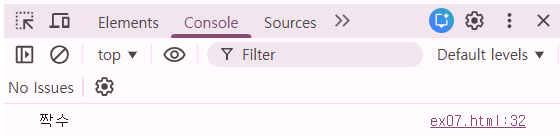
        function test3() {
            let num = 10;
            let result = (num % 2 == 0) ? "짝수" : "홀수";
            if (num % 2 == 0){
                console.log("짝수");
            }
            else {
                console.log("홀수");
            }
        }
input값 가져오기
<!DOCTYPE html>
<html lang="en">
<head>
    <meta charset="UTF-8">
    <meta name="viewport" content="width=device-width, initial-scale=1.0">
    <title>Ex07</title>
    <script>
        function btn() {
            const txt1 = document.getElementById("txt1");
            const txt2 = document.getElementById("txt2");
            console.log(txt1.value);
        }
    </script>
</head>
<body>
    <input type="text" id="txt1"><br>
    <input type="text" id="txt2"><br>
    <button onclick="btn()">클릭</button>
</body>
</html>
let txt = document.getElementById("[id값]");
console.log(txt.value);
[].value로 참조 가능
HTML : input 태그 - oninput, onchange
<!DOCTYPE html>
<html lang="en">
<head>
    <meta charset="UTF-8">
    <meta name="viewport" content="width=device-width, initial-scale=1.0">
    <title>Ex08</title>
    <script>
        function input() {
            console.log("내용이 입력 될 때마다 실행");
            console.log(
                document.getElementById("in").value
            )
        }
        function change() {
            console.log("포커스가 변경되면 실행");

        }
    </script>
</head>
<body>
    <input type="text" oninput="input()" id="in"><br>
    <input type="text" onchange="change()" id="ch"><br>
    <input type="text" id="txt">
</body>
</html>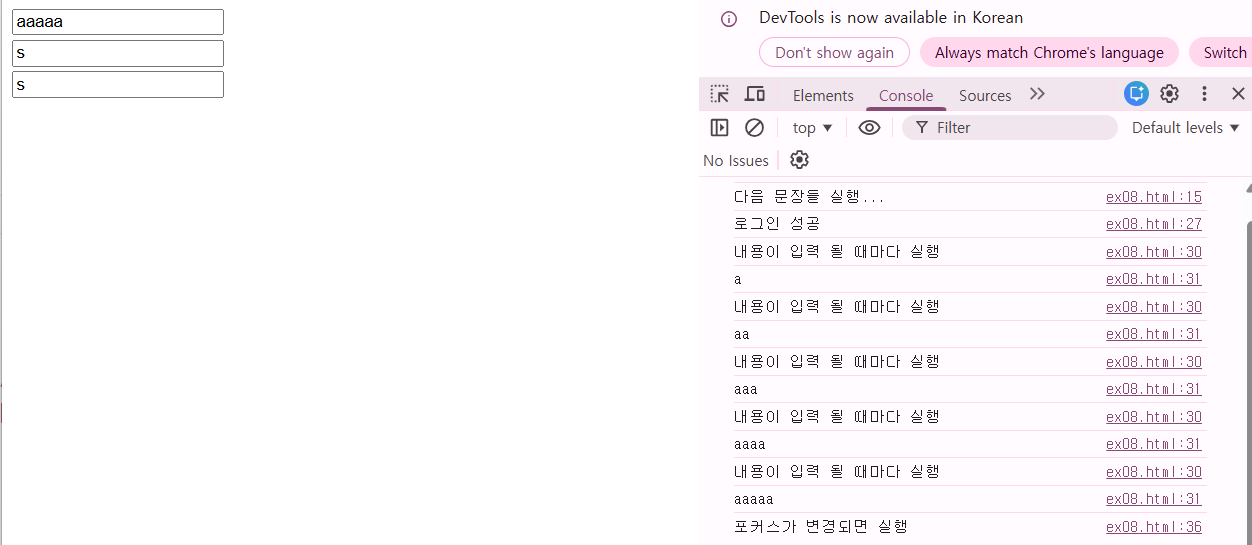
oninput : 입력될 때마다
onchange : 포커스 변경되면
length
            let msg = "안녕하세요";
            console.log(msg.length);
'IBM AI Agent 3기 > Frontend' 카테고리의 다른 글
| javascript 알아보기(2) (0) | 2025.12.23 |
|---|---|
| javascript 알아보기(1) (0) | 2025.12.22 |
| CSS 알아보기(4) (0) | 2025.12.22 |
| CSS 알아보기(3) (0) | 2025.12.19 |
| CSS 알아보기(2) (0) | 2025.12.18 |