document.write()
<!DOCTYPE html>
<html lang="en">
<head>
    <meta charset="UTF-8">
    <meta name="viewport" content="width=device-width, initial-scale=1.0">
    <title>Ex01</title>
    <script>
        document.write(1111);
        document.write("<h3>내용</h3>")
    </script>
</head>
<body>
    <h3>js 연습</h3>
</body>
</html>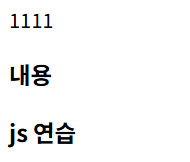
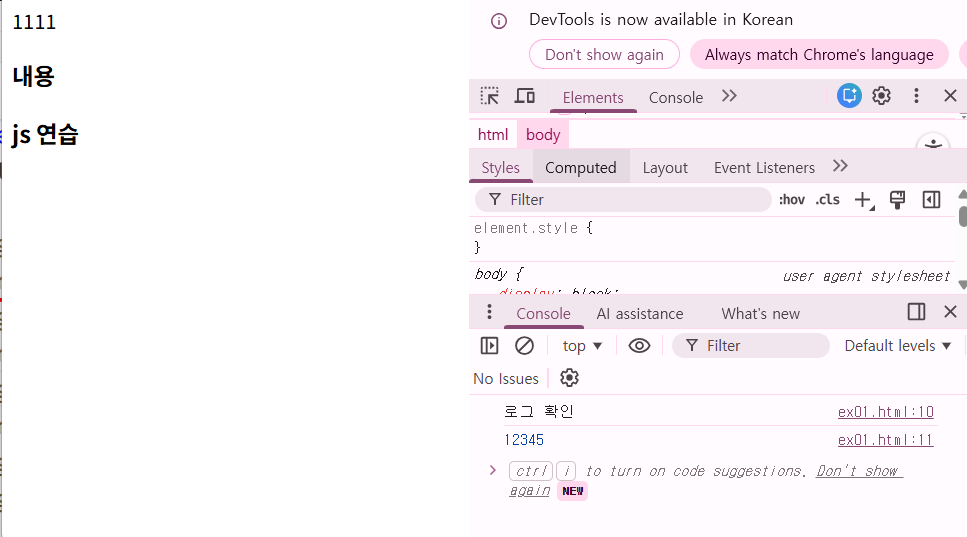
console.log()
    <script>
        document.write(1111);
        document.write("<h3>내용</h3>")
        console.log("로그 확인")
        console.log(12345)
    </script>
f12 크롬에서 눌러보면 로그 확인 가능
변수
       let wallet = "돈을 저장했다";
       document.write(wallet)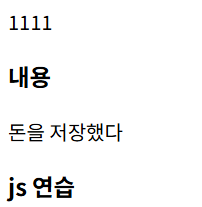
연산
       let num = 1234;
       console.log(num);

       let str = "1234";
       console.log(str);

       console.log(num + 100);
       console.log(str + 100);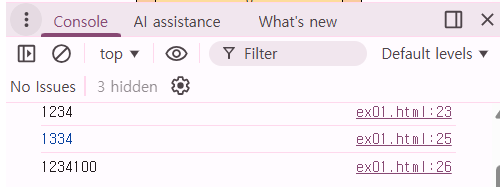
typeof
       console.log(num, typeof(num))
       console.log(str, typeof(str))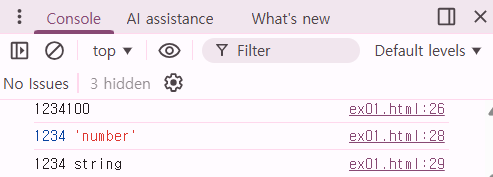
       let fl = 1.1234;
       let bool = true;
       let arr = [1, 2, 3, 4];
       let obj = {num : "홍길동", 키 : "값"}
       let test;

       console.log(fl, typeof(fl));
       console.log(bool, typeof(bool));
       console.log(arr, typeof(arr));
       console.log(obj, typeof(obj));
       console.log(test, typeof(test));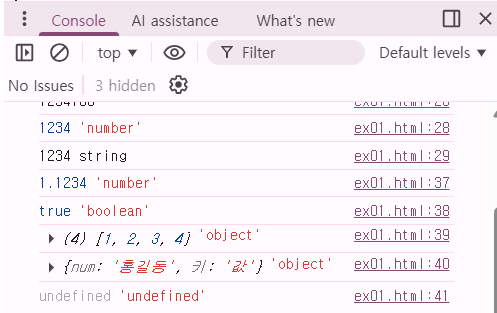
변수 출력
       let age = 20;
       document.write("홍길동 나이는 " + age+1 + "살입니다");
예상 : 홍길동 나이는 21살 입니다.
실제 :

       let age = 20;
       document.write("홍길동 나이는 " + (age+1) + "살입니다");
javascript 연동
<script src="ex02.js"></script>alert
<!DOCTYPE html>
<html lang="en">
<head>
    <meta charset="UTF-8">
    <meta name="viewport" content="width=device-width, initial-scale=1.0">
    <title>Ex02</title>
    <script src="ex02.js"></script>
</head>
<body>
    연습
</body>
</html>
console.log("test");
alert("test1234");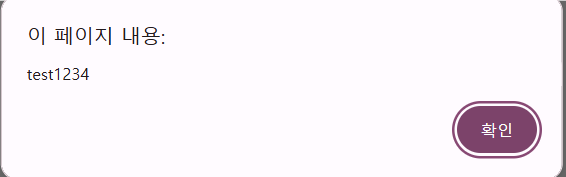
함수
<!DOCTYPE html>
<html lang="en">
<head>
    <meta charset="UTF-8">
    <meta name="viewport" content="width=device-width, initial-scale=1.0">
    <title>Ex02</title>
    <script src="ex02.js"></script>
    <script>
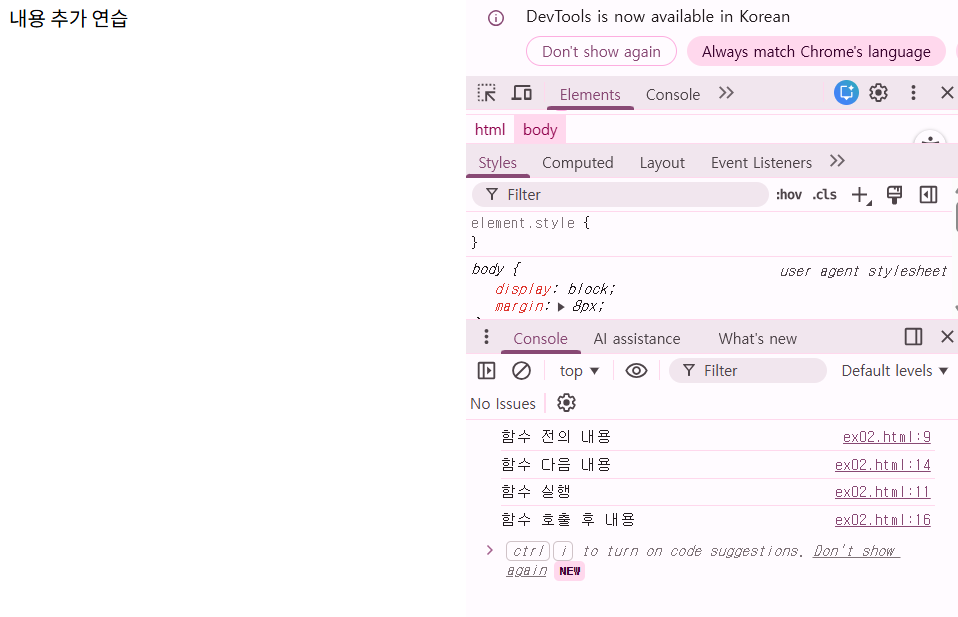
        console.log("함수 전의 내용")
        function func1(){
            console.log("함수 실행")
            document.write("내용 추가");
        }
        console.log("함수 다음 내용")
        func1()
        console.log("함수 호출 후 내용")
    </script>
</head>
<body>
    연습
</body>
</html>
버튼 클릭
<!DOCTYPE html>
<html lang="en">
<head>
    <meta charset="UTF-8">
    <meta name="viewport" content="width=device-width, initial-scale=1.0">
    <title>Ex02</title>
    <script src="ex02.js"></script>
    <script>
        console.log("함수 전의 내용")
        function func1(){
            console.log("함수 실행")
            document.write("내용 추가");
        }
        console.log("함수 다음 내용")
        // func1()
        console.log("함수 호출 후 내용")
    </script>
</head>
<body>
    연습
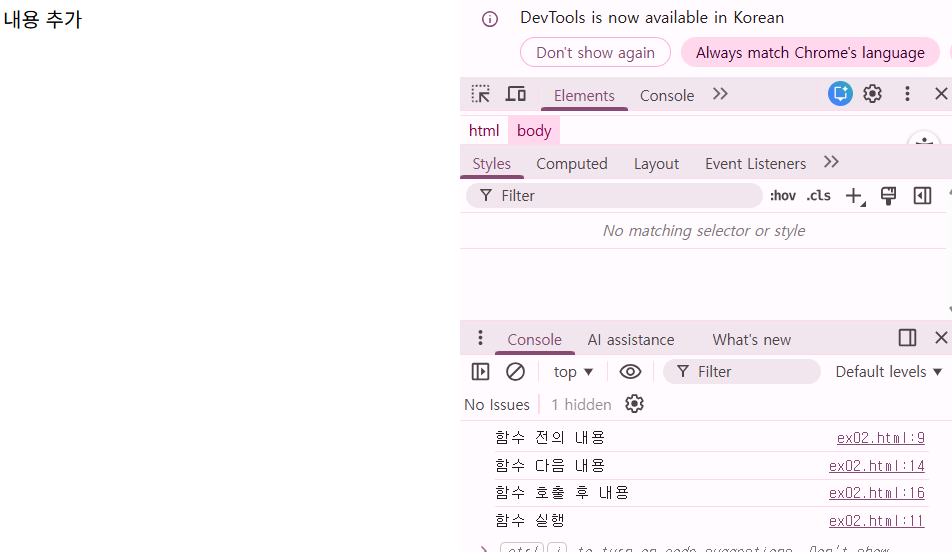
    <button onclick="func1()">클릭</button>
</body>
</html>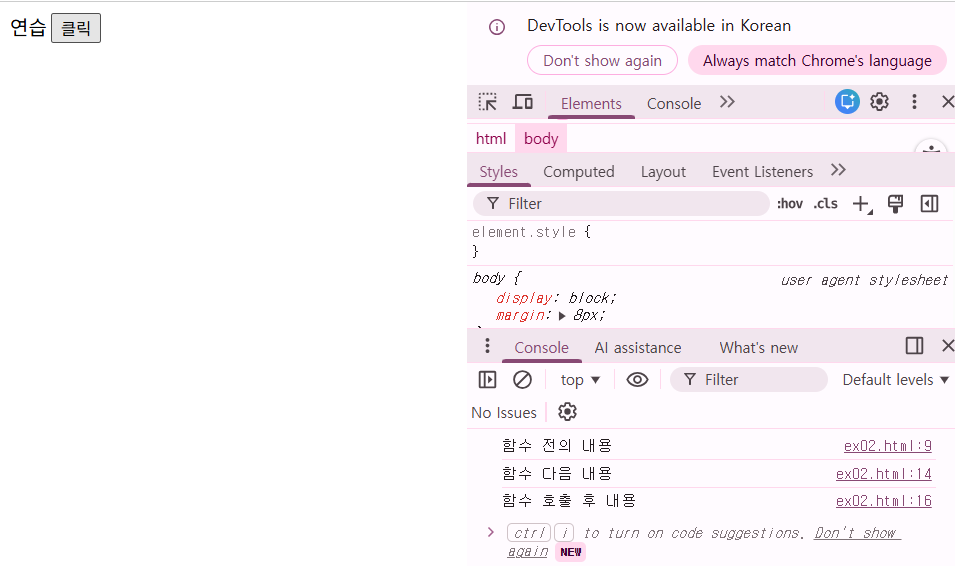
getElementById()
<!DOCTYPE html>
<html lang="en">
<head>
    <meta charset="UTF-8">
    <meta name="viewport" content="width=device-width, initial-scale=1.0">
    <title>Ex02</title>
    <script src="ex02.js"></script>
    <script>
        console.log("함수 전의 내용")
        function func1(){
            console.log("함수 실행")
            // document.write("내용 추가");
            let test = document.getElementById("div1")
            console.log(test)
            test.style.color = "red"
        }
        console.log("함수 다음 내용")
        // func1()
        console.log("함수 호출 후 내용")
    </script>
</head>
<body>
    <div id="div1">안녕하세요</div>
    <button onclick="func1()">클릭</button>
</body>
</html>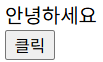 |
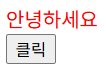 |
innerHTML
element에 html 추가
<!DOCTYPE html>
<html lang="en">
<head>
    <meta charset="UTF-8">
    <meta name="viewport" content="width=device-width, initial-scale=1.0">
    <title>Ex02</title>
    <script src="ex02.js"></script>
    <script>
        console.log("함수 전의 내용")
        function func1(){
            console.log("함수 실행")
            // document.write("내용 추가");
            let test = document.getElementById("div1")
            console.log(test)
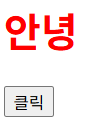
            test.style.color = "red"
            test.innerHTML = "<h1>안녕</h1>"
        }
        console.log("함수 다음 내용")
        // func1()
        console.log("함수 호출 후 내용")
    </script>
</head>
<body>
    <div id="div1">안녕하세요</div>
    <button onclick="func1()">클릭</button>
</body>
</html>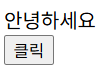 |
 |
querySelector()
css에서 id, class 가져오듯이
<!DOCTYPE html>
<html lang="en">
<head>
    <meta charset="UTF-8">
    <meta name="viewport" content="width=device-width, initial-scale=1.0">
    <title>Ex02</title>
    <script src="ex02.js"></script>
    <script>
        function func2() {
            // alert("test2")
            let div2 = document.querySelector("#div2")
            let cls = document.querySelector(".class2")

            console.log(div2)
            console.log(cls)
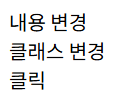
            div2.innerHTML = "내용 변경"
            cls.innerHTML = "클래스 변경"
        }
    </script>
</head>
<body>
    <div id="div2">div2</div>
    <div class="class2">class2</div>
    <span onclick="func2()">클릭</span>
</body>
</html> |
 |
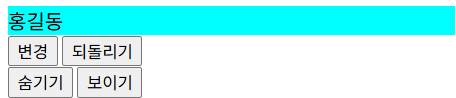
style 바꾸기
<!DOCTYPE html>
<html lang="en">
<head>
    <meta charset="UTF-8">
    <meta name="viewport" content="width=device-width, initial-scale=1.0">
    <title>Ex02</title>
    <script src="ex02.js"></script>
    <script>

        function func5(){
            let div = document.getElementById("div4");
            div.style.backgroundColor = "red";
            div.className = "abc";

        }
        function func6(){
            let div = document.getElementById("div4");
            div.style.backgroundColor = "aqua";
            div.style.color = "black"
        }

        function func7() {
            let div = document.getElementById("div4");
            div.style.display = "none";
        }
        function func8() {
            let div = document.getElementById("div4");
            div.style.display = "block";
        }
    </script>
    <style>
        #div4 { background-color: aqua;}
        .abc {color: whitesmoke;}
    </style>
</head>
<body>
    <div id="div4">홍길동</div>
    <button onclick="func5()">변경</button>
    <button onclick="func6()">되돌리기</button>
    <br>
    <button onclick="func7()">숨기기</button>
    <button onclick="func8()">보이기</button>
</body>
</html>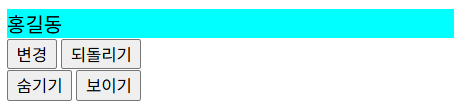 |
 |
 |
onload
페이지 로드되면 함수 호출
<!DOCTYPE html>
<html lang="en">
<head>
    <meta charset="UTF-8">
    <meta name="viewport" content="width=device-width, initial-scale=1.0">
    <title>Ex03</title>
    <script>
        function init() {
            let div = document.getElementById("div1");
            div.innerHTML = "내용 추가";
        }

    </script>

</head>
<body onload="init()">
    <div id="div1"></div>

</body>
</html>
${} 활용해서 변수 출력
<!DOCTYPE html>
<html lang="en">
<head>
    <meta charset="UTF-8">
    <meta name="viewport" content="width=device-width, initial-scale=1.0">
    <title>Ex03</title>
    <script>
        function init() {
            let div = document.getElementById("div1");

            let name = "김개똥";
            let age = "30";
            let msg = `
                <b>저의 이름은</b> ${name}입니다<br>
                나이는 ${age}살 입니다
            `;
            // let msg = "<b>제 이름은</b> : 홍길동 입니다<br>";

            // msg = msg + "나이는 : 20살 입니다"
            div.innerHTML = msg;
        }

    </script>

</head>
<body onload="init()">
    <div id="div1"></div>

</body>
</html>
'IBM AI Agent 3기 > Frontend' 카테고리의 다른 글
| javascript 알아보기(3) (0) | 2025.12.24 |
|---|---|
| javascript 알아보기(2) (0) | 2025.12.23 |
| CSS 알아보기(4) (0) | 2025.12.22 |
| CSS 알아보기(3) (0) | 2025.12.19 |
| CSS 알아보기(2) (0) | 2025.12.18 |