https://www.youtube.com/watch?v=FeAowtZB80w
Neo4j
그래프 데이터베이스 DBMS, Cypher라는 그래프 쿼리 언어를 통해 그래프 데이터를 다룸
Cypher
그래프 데이터베이스에 접근하기 위해 사용되는 그래프 쿼리 언어
MATCH (n1)-[r]->[n2] RETURN r, n1, n2 LIMIT 25- MATCH : 어떤 노드와 어떤 관계를 표현할 건지 검색할 노드와 릴레이션을 표현하는 구문
- RETURN : 위에서 표현된 노드와 릴레이션들 중 어떤 값을 반환할 건지에 대한 설명을 RETURN 구문에 작성
- LIMIT : 어떤 노드와 릴레이션들이 조회가 되었다면, 그 조회된 값들 중 25개만 리턴하고 싶으면 LIMIT 25
- WHERE 등의 조건문도 사용 가능
Neo4j Sandbox
Home - Neo4j Sandbox
sandbox.neo4j.com
Sandbox 데이터 : 영화 추천 데이터
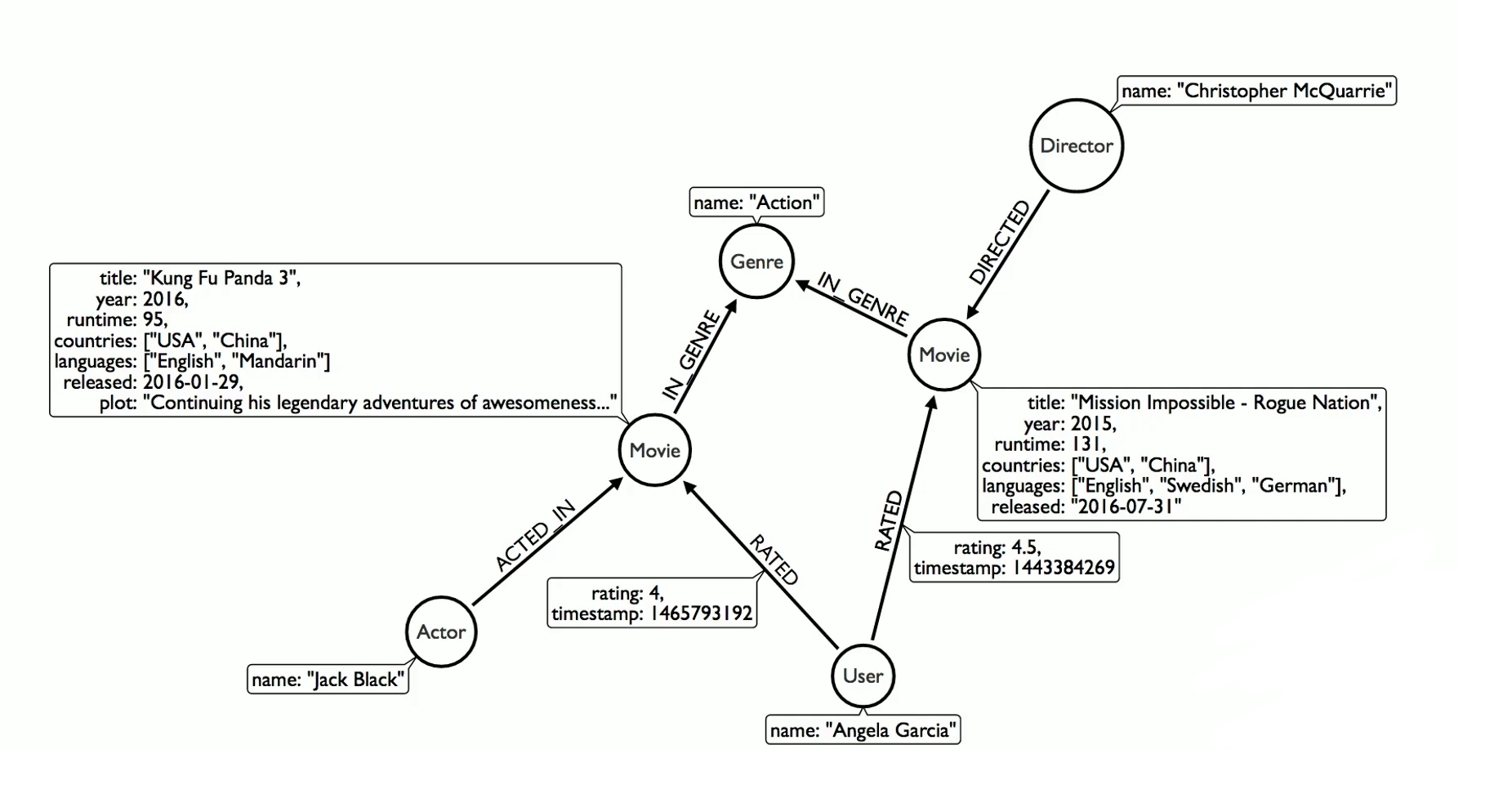
Movie에 대한 정보, Movie를 연기한 Actor의 정보, Movie에 대해 평가를 내린 User에 대한 정보 등이 담겨있다.
MATCH (m:Movie)<-[r:RATED]-(u:User)
RETURN m,r,u LIMIT 10
어떤 유저가 어떤 영화에 대해서 평가를 내린 이 관계에 대해 조회를 하고 싶다는 뜻
RETURN : movie의 정보, rated에 대한 정보, user에 대한 정보, 10개의 값만 추출
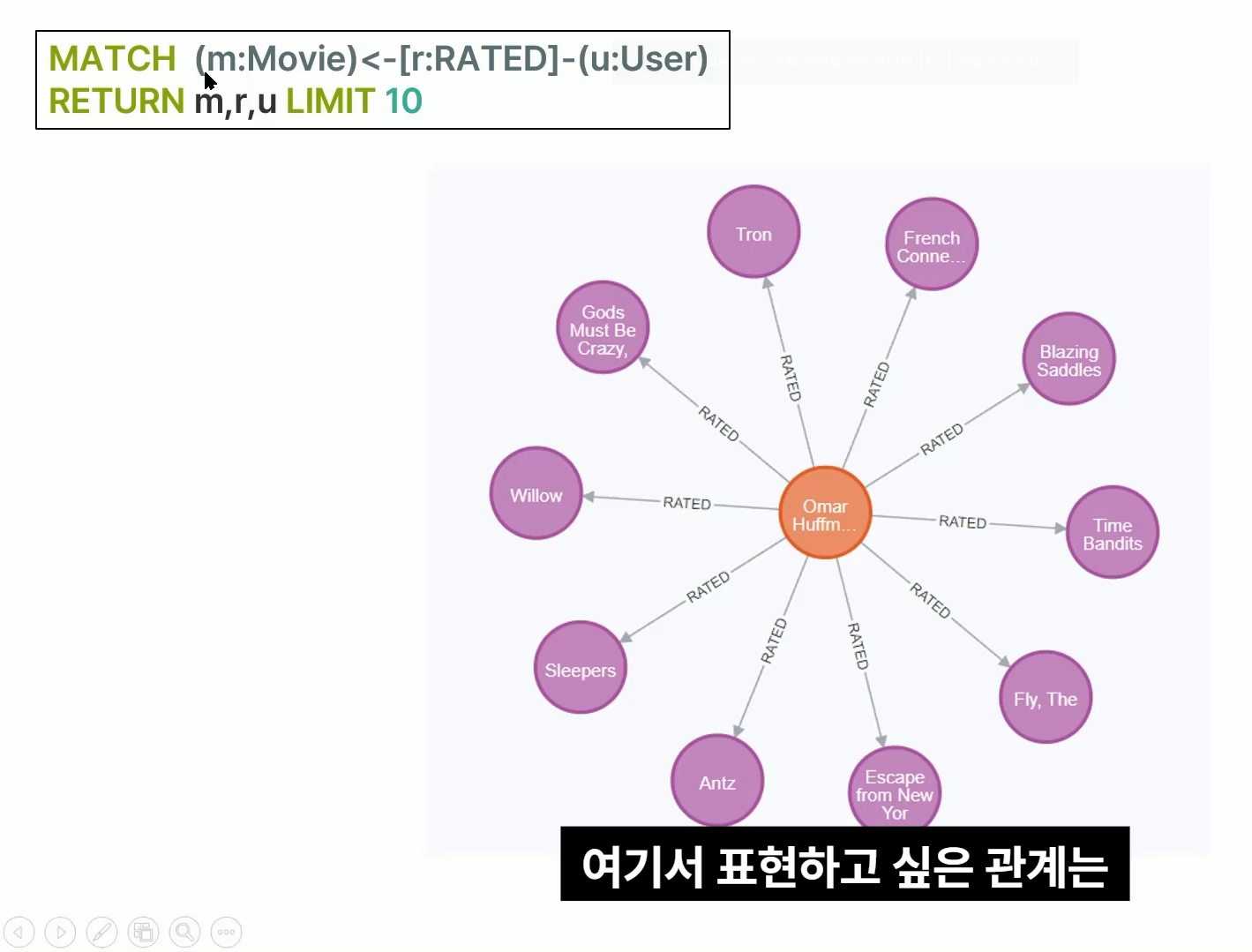
주황 : User 정보
보라 : 영화
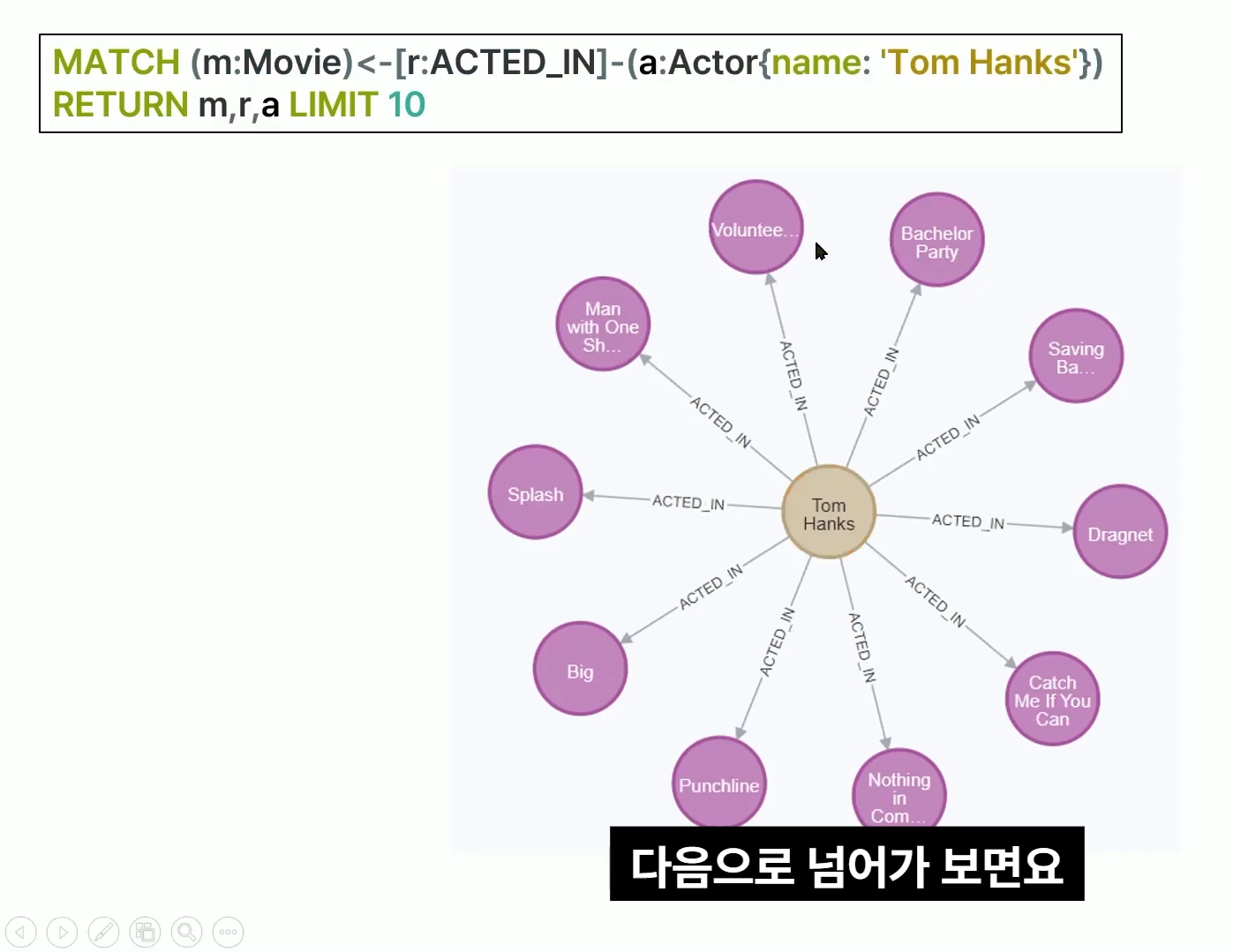
MATCH (m:Movie)<-[r:ACTED_IN]-(a:Actor{name:'Tom Hanks'})
RETURN m,r,a LIMIT 10
톰 행크스라는 이름의 배우가 어떤 영화에 출연했는지 10개 추출
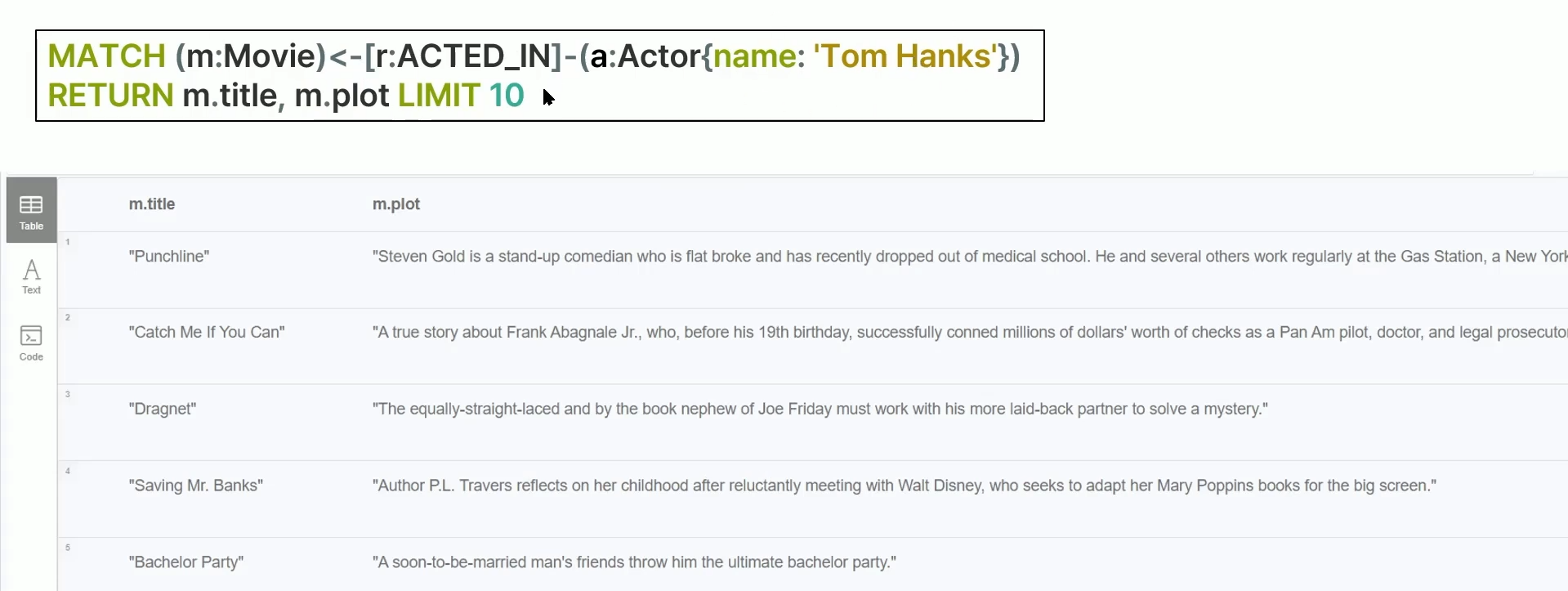
MATCH (m:Movie)<-[r:ACTED_IN]-(a:Actor{name:'Tom Hanks'})
RETURN m.title, m.plot LIMIT 10
톰 행크스가 출연한 영화의 title과 plot을 10개씩 return
GraphRAG
- Graph DB를 기반으로 RAG 구현
- 단순 벡터 데이터베이스 기반의 Retrieval 방식의 유사도 검색이 아닌, Knowledge Graph를 구축해 검색 대상들(엔터티) 간의 관계를 파악해 더 세분화된 지식 검색을 하는 것
neo4j_genai
Graph DB 구축을 통한 생성형 AI 활용을 도와주는 파이썬 패키지
구현
구글 코랩에서 진행
패키지 설치
!pip install neo4j-genai neo4j openai
OpenAI API Key 설정
import json
import os

with open('./drive/MyDrive/실습/251010_GraphRAG/openai_api_key.json') as j :
    json_file = json.load(j)
    j.close()

os.environ["OPENAI_API_KEY"] = json_file['OPENAI_API_KEY']
Sandbox DB
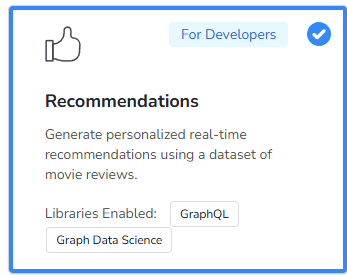
Recommendations로 생성
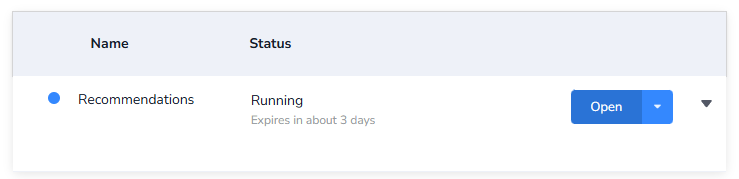
Open 누른 후
로그인 해주기
neo4j 드라이버로 코랩에서 연결해주어야 하기 때문에 아까 open 있었던 곳으로 가서 Connect via drivers로 auth 관련 드라이버 값들 사용하기
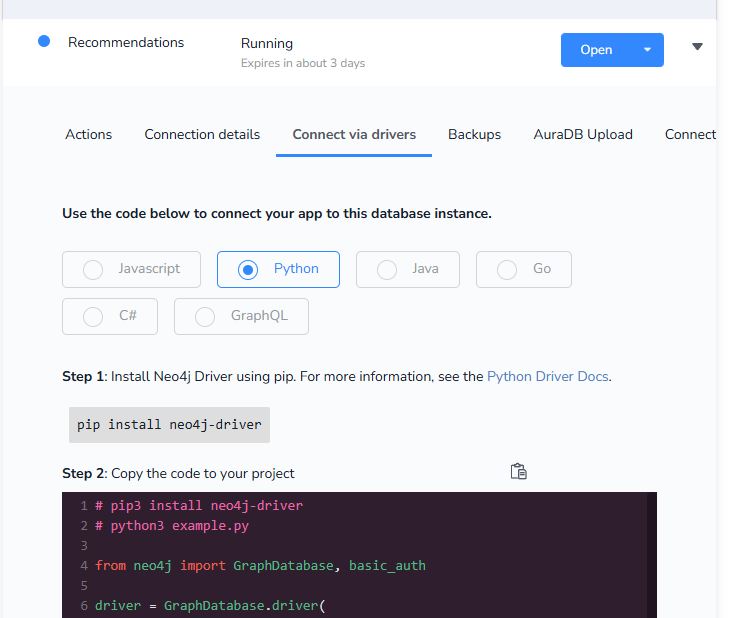
driver값 설정 후, 해당 DB에 cypher 쿼리 날려보기
cypher_query = '''
MATCH (m:Movie {title:$movie})<-[:RATED]-(u:User)-[:RATED]->(rec:Movie)
RETURN distinct rec.title AS recommendation LIMIT 20
'''

with driver.session(database="neo4j") as session :
    results = session.read_transaction(
        lambda tx: tx.run(cypher_query, movie="Spider-Man").data()
    )
    for record in results :
        print(record['recommendation'])
영화 이름이 정확하게 일치해야 검색 결과 나오는 듯하다.
'Spider-Man: Brand New Day (2026)'

위 영화 제목 그대로 검색하니까 검색 결과가 안 떴음.
Plot(줄거리) 임베딩 추가
텍스트 to 임베딩 벡터(OpenAI 임베딩 모델)
def generate_embedding(text) :
    embedding = openai.embeddings.create(input=[text], model="text-embedding-ada-002").data[0].embedding
    return embedding
def add_embedding_to_movie(tx) :
"""모든 Movie 노드들의 plot을 임베딩하고, 그 값을 embedding 속성에 추가"""
result = tx.run("MATCH (m:Movie) WHERE m.plot is NOT NULL RETURN m.title AS title, m.plot AS plot, ID(m) AS id LIMIT 100")
cnt = 0
for record in result :
cnt += 1
print(cnt)
title = record['title']
plot = record['plot']
node_id = record['id']
print(plot)
print("======================")
embedding = generate_embedding(plot)
# 임베딩 벡터를 Neo4j에 저장
tx.run("MATCH (m:Movie) WHERE ID(m) = $id SET m.plotEmbedding = $embedding", id=node_id, embedding=embedding)
print(f"Update movie '{title}' with embedding")
with driver.session() as session :
session.write_transaction(add_embedding_to_movie)
Sandbox에서 확인해보기
MATCH (m:Movie) WHERE m.plot is NOT NULL RETURN m.title AS title, m.plot AS plot, m.plotEmbedding AS plotEmbedding, ID(m) AS id LIMIT 100위 구문으로 확인해보기(plotEmbedding 추가)
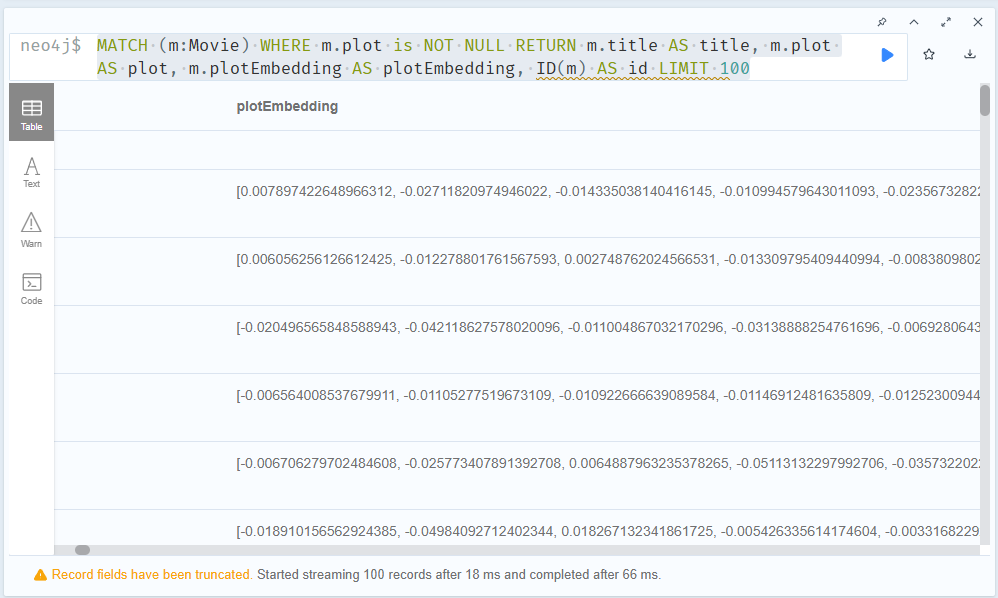
밑에 바를 오른쪽으로 당겨보면 plotEmbedding이 생성됨을 확인할 수 있다.
MATCH (m:Movie) WHERE m.plot is NOT NULL RETURN m LIMIT 100위 쿼리를 입력하게 되면
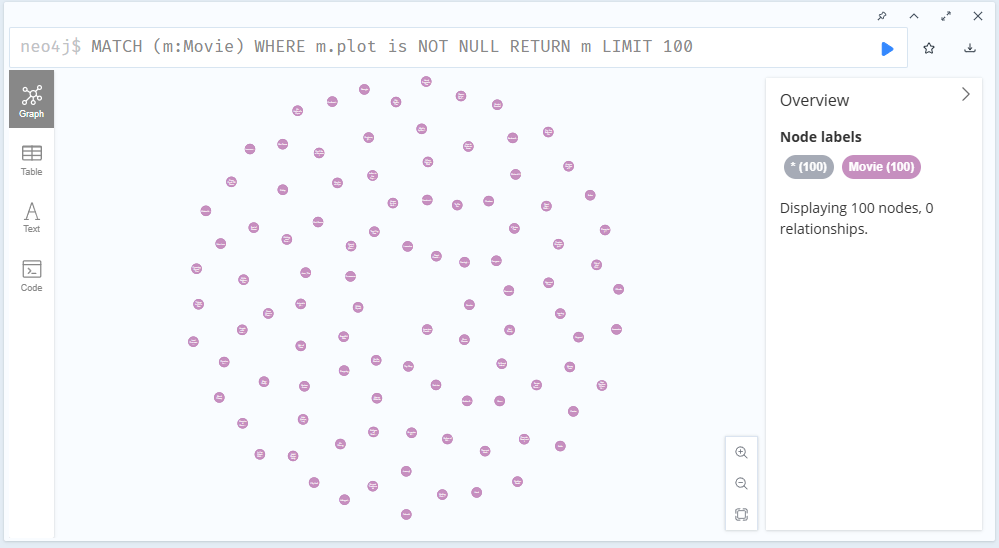
100개의 무비 노드들을 확인 가능
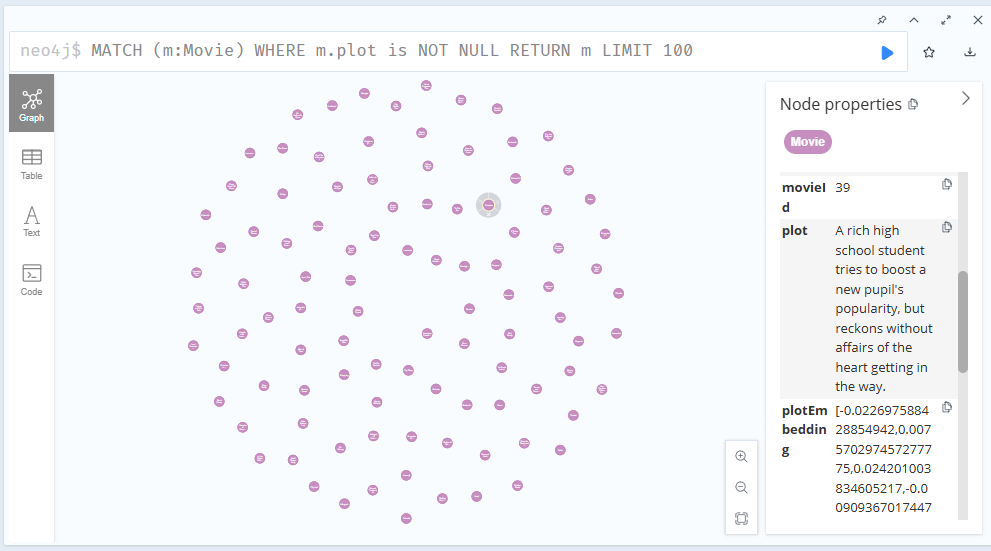
그리고 노드 하나를 클릭해보면 노드에 관한 프로퍼티들을 확인할 수 있다.
Vector INDEX로 Retriever 생성하기
INDEX?
노드, 관계, 또는 프로퍼티와 같은 Neo4j DB의 지정된 기본 데이터 복사본
DB 데이터에 대한 액세스 경로를 제공하여 데이터 검색을 더 빠르게 할 수 있도록 하여 효율적
CREATE VECTOR INDEX moviePlotsEmbedding FOR (n:Movie) ON (n.plotEmbedding) OPTIONS {indexConfig: {
 `vector.dimensions`: 1536,
 `vector.similarity_function`: 'cosine'
}}
위의 쿼리를 sandbox에 입력

인덱스 생성을 확인할 수 있다.
from neo4j_genai.retrievers import VectorRetriever
from neo4j_genai.embeddings.openai import OpenAIEmbeddings
embedder = OpenAIEmbeddings(model='text-embedding-ada-002')
retriever = VectorRetriever(
    driver,
    index_name="moviePlotsEmbedding",
    embedder=embedder,
    return_properties=["title", "plot"]
)
벡터 리트리버를 설정해준다.
query_text = "A comboy doll is jealous when a new spaceman figure becomes the top toy." # 토이스토리 줄거리
retriever_result = retriever.search(query_text=query_text, top_k=3)
print(retriever_result)
이후 토이스토리 줄거리를 쿼리로 넣으면
items=[RetrieverResultItem(content='{\'title\': \'Toy Story\', \'plot\': "A cowboy doll is profoundly threatened and jealous when a new spaceman figure supplants him as top toy in a boy\'s room."}', metadata={'score': 0.9721964597702026, 'nodeLabels': None, 'id': None}), RetrieverResultItem(content="{'title': 'Indian in the Cupboard, The', 'plot': 'On his ninth birthday a boy receives many presents. Two of them first seem to be less important: an old cupboard from his brother and a little Indian figure made of plastic from his best ...'}", metadata={'score': 0.9162948131561279, 'nodeLabels': None, 'id': None}), RetrieverResultItem(content="{'title': 'Powder', 'plot': 'A young bald albino boy with unique powers shakes up the rural community he lives in.'}", metadata={'score': 0.9060423970222473, 'nodeLabels': None, 'id': None})] metadata={'__retriever': 'VectorRetriever'}위와 같이 결과가 나오게 된다.
query_text = "A movie about a shooting incident." # 총기사건과 관련한 영화
retriever_result = retriever.search(query_text=query_text, top_k=3)
print(retriever_result)
다른 쿼리에 대한 답변 생성하기
for k, item in enumerate(retriever_result.items) :
    print(f"TOP {k+1}")
    print(item.content)
    print("score : ", item.metadata["score"])
답변 예쁘게 출력하기
TOP 1
{'title': 'City Hall', 'plot': 'The accidental shooting of a boy in New York leads to an investigation by the Deputy Mayor, and unexpectedly far-reaching consequences.'}
score :  0.9375894665718079
TOP 2
{'title': 'Usual Suspects, The', 'plot': 'A sole survivor tells of the twisty events leading up to a horrific gun battle on a boat, which begin when five criminals meet at a seemingly random police lineup.'}
score :  0.9370213747024536
TOP 3
{'title': 'Nick of Time', 'plot': 'An unimpressive, every-day man is forced into a situation where he is told to kill a politician to save his kidnapped daughter.'}
score : 0.9194455146789551'NLP > 실습' 카테고리의 다른 글
| [GraphRAG] GraphDB와 LLM으로 추천 시스템 만들기 (0) | 2025.10.30 |
|---|---|
| [GraphRAG] Graph 생성하기 with neo4j ERExtractionTemplate (0) | 2025.10.10 |
| Agent AI 실습3 : IBM watsonx orchestrate - Intelligent assistant (0) | 2025.09.21 |
| Agent AI 실습2 : IBM watsonx orchestrate - HR Agent (0) | 2025.09.21 |
| Agent AI 실습1 : IBM watsonx Orchestrate - 마케팅 에이전트 (0) | 2025.09.21 |